
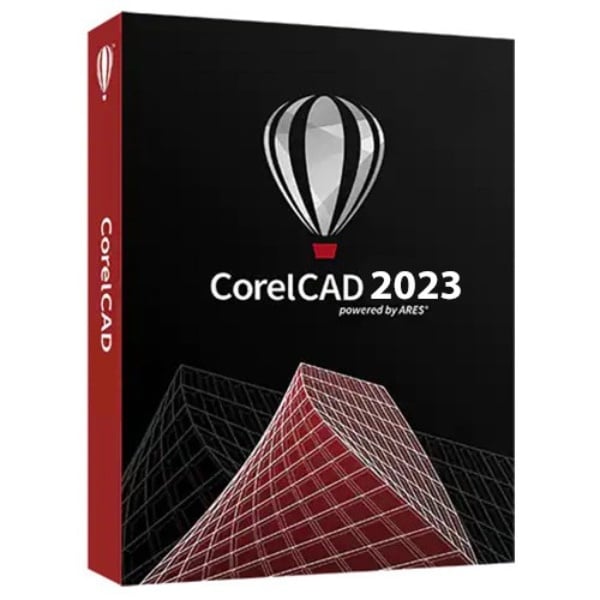
CorelCAD Professional 2D drafting and 3D design For Windows
110 Item Sold
Lifetime Activation
For Windows
comes with activation files
CorelCAD Professional 2D Drafting and 3D Design for Windows – Complete Professional Solution
Transform your design workflow with CorelCAD Professional, the comprehensive 2D drafting and 3D design software that bridges the gap between creativity and precision. Whether you’re an architect drafting building plans, an engineer creating technical schematics, or a designer bringing concepts to life, CorelCAD Professional delivers the tools and flexibility you need to excel in your field.
Why Choose CorelCAD Professional?
CorelCAD Professional isn’t just another CAD software – it’s your complete design companion that understands the demands of professional work. Built for Windows 10 and 11, this powerful application combines industry-standard functionality with an intuitive interface that doesn’t sacrifice capability for ease of use.
Lifetime Activation with Permanent License
Forget about recurring subscription fees that drain your budget year after year. When you purchase CorelCAD Professional, you receive a genuine, authentic license with lifetime activation. This permanent license means you own the software forever – no expiration dates, no surprise billing, and no interrupted workflow due to payment issues. Your investment today protects your productivity for years to come.
Comprehensive 2D Drafting Capabilities
Precision Drawing Tools
CorelCAD Professional provides an extensive suite of drawing tools that meet professional standards. Create precise technical drawings with advanced line work, dimensioning, and annotation features. The software supports industry-standard drawing conventions, ensuring your work meets professional requirements and communicates effectively with clients and colleagues.
Layer Management System
Organize complex drawings with sophisticated layer management capabilities. Control visibility, lock layers for protection, and assign properties to maintain drawing consistency. This system becomes invaluable when working on large projects with multiple components, allowing you to focus on specific elements while keeping the overall design organized.
Advanced Dimensioning
Add professional dimensions and annotations that automatically update when you modify your drawings. The smart dimensioning system recognizes geometry and suggests appropriate dimension types, saving time while ensuring accuracy. Customize dimension styles to match industry standards or company requirements.
Text and Annotation Features
Incorporate detailed notes, specifications, and labels using flexible text tools. Create multiline text blocks, callouts, and leader lines that maintain legibility across different scales. The annotation features help document your designs thoroughly, making them easier to understand and implement.
Powerful 3D Design and Modeling
Solid Modeling Capabilities
Move beyond flat drawings into three-dimensional space with robust solid modeling tools. Create complex 3D objects by extruding 2D shapes, revolving profiles, or building from primitive shapes. These 3D models help visualize designs more clearly and identify potential issues before moving to production.
Surface Modeling
Handle more complex geometries with advanced surface modeling features. Create curved surfaces, blend transitions, and model organic shapes that would be difficult to achieve with traditional solid modeling alone. This capability opens doors to more sophisticated design projects.
3D Visualization and Rendering
Present your designs with professional-quality renderings that showcase materials, lighting, and spatial relationships. The built-in rendering engine produces realistic images that help clients and stakeholders understand your vision without requiring specialized visualization software.
Assembly Design
Combine multiple components into complete assemblies, managing relationships and constraints between parts. This feature proves essential for mechanical design, allowing you to test fit and function before physical prototyping.
File Compatibility and Integration
Industry Standard Formats
CorelCAD Professional reads and writes native DWG files without translation, ensuring perfect compatibility with AutoCAD and other major CAD systems. This compatibility eliminates file conversion headaches and maintains drawing integrity when collaborating with others who use different software.
Import and Export Options
Work with various file formats including DXF, PDF, SVG, and common image formats. Import reference images, export drawings for presentation, or share work in formats that others can easily access. This flexibility keeps your workflow smooth regardless of project requirements.
PDF Underlay Support
Reference PDF documents directly within your drawings, allowing you to work from scanned plans, specifications, or other documentation. This feature streamlines the design process when working from existing drawings or incorporating external reference materials.
User Interface and Workflow
Customizable Interface
Tailor the workspace to match your working style with customizable toolbars, menus, and command aliases. Create personalized tool palettes for frequently used commands and arrange the interface to maximize efficiency for your specific type of work.
Command Line and Menu Access
Access tools through multiple methods – traditional menus, toolbars, command line entry, or keyboard shortcuts. This flexibility accommodates different working preferences and speeds up common tasks once you develop muscle memory.
Smart Cursor and Object Snaps
Work with precision using intelligent cursor feedback and comprehensive object snap options. The cursor automatically detects key points, intersections, and geometric relationships, ensuring accurate placement without guesswork.
Advanced Features for Professional Work
Block Libraries and Symbols
Build libraries of frequently used symbols, details, and components. Insert these blocks into drawings to maintain consistency and save drafting time. Create custom blocks for company standards or industry-specific symbols.
Parametric Constraints
Apply geometric and dimensional constraints to maintain design intent when modifications occur. These constraints ensure that related elements update automatically when you change key dimensions or geometry.
Sheet Set Management
Organize multiple drawing sheets within projects, managing title blocks, revision tracking, and plot settings consistently across all sheets. This feature becomes crucial for large projects with numerous drawings.
External Reference (Xref) Support
Link to external drawings that update automatically when the source files change. This capability enables team collaboration where different people work on various portions of a project while maintaining coordination.
Installation and Support
Easy Installation and Activation
Getting started with CorelCAD Professional couldn’t be simpler. After your digital download with instant delivery, the installation process guides you through setup with clear instructions. The activation process is straightforward, establishing your permanent license without complicated procedures.
Remote Installation Service
Don’t want to handle installation yourself? We provide free assistance to install and activate your software remotely. Our technical team can set up CorelCAD Professional on your system, ensuring everything works correctly from the start.
Global License Coverage
Your authentic license works worldwide, so you can use CorelCAD Professional regardless of your location. This global coverage provides flexibility for international work or if you relocate.
Why This Is the Smart Investment
Best Price Available
We offer CorelCAD Professional at the best price you’ll find from a trusted store. Our competitive pricing doesn’t compromise on authenticity – you receive the same genuine software at a fraction of typical costs.
Money-Back Guarantee
Purchase with confidence knowing your investment is protected. Our money-back guarantee ensures you can try CorelCAD Professional risk-free. If the software doesn’t meet your needs, we’ll refund your purchase.
One-Time Payment Model
Unlike subscription software that requires ongoing payments, CorelCAD Professional uses a traditional one-time payment model. Pay once, own forever. This approach provides better long-term value and budget predictability.
Secure Online Payment
Our trusted online payment system protects your financial information using industry-standard security measures. Complete your purchase safely with multiple payment options.
Perfect for Various Industries
Architecture and Construction
Draft floor plans, elevations, sections, and construction details with tools designed for architectural work. Create presentation drawings that clearly communicate design concepts to clients while maintaining the technical accuracy required for construction.
Mechanical Engineering
Design machine components, assemblies, and technical documentation with precision tools suited for mechanical work. The 3D capabilities help visualize how parts fit together and identify potential interference issues.
Product Design
Develop product concepts from initial sketches through detailed manufacturing drawings. The combination of 2D drafting and 3D modeling supports the complete design process from idea to production.
Civil Engineering
Create site plans, utility layouts, and infrastructure designs with tools that handle both the technical and presentation aspects of civil projects. Import survey data and reference imagery to work from accurate base information.
System Requirements and Compatibility
CorelCAD Professional runs smoothly on Windows 10 and 11 systems, taking advantage of modern hardware capabilities while maintaining compatibility with existing workflows. The software scales performance based on available system resources, running efficiently on both modest and high-end workstations.
Getting Your Copy Today
When you buy CorelCAD online from our store, you receive immediate access to this professional design solution. Your digital download begins instantly after purchase, and you can start using the software within minutes of completing your order.
The full version includes all professional features without limitations or trial restrictions. Your original, genuine, and legitimate license ensures you have access to all capabilities and future updates within your version.
Ready to Purchase CorelCAD?
Don’t let inadequate design tools limit your professional potential. CorelCAD Professional provides the comprehensive 2D and 3D capabilities you need to handle any design challenge. With lifetime activation, professional features, and our money-back guarantee, this investment will pay dividends in improved productivity and design quality.
Buy CorelCAD Professional today and join thousands of professionals who rely on this powerful design solution. Your authentic license with permanent activation awaits – take advantage of our best price and secure your professional design future with this last version of CorelCAD Professional.
Transform your design capabilities. Purchase CorelCAD Professional now and experience the difference professional-grade CAD software makes in your daily work.
Related products
-
Nuance PaperPort 14.6 Professional scanning, converting,editing documents
Original price was: $29.99.$19.99Current price is: $19.99. -
Wilcom Embroidery Studio e4.2 For Windows – Lifetime Activation
Original price was: $79.99.$65.99Current price is: $65.99. -
Adobe Premiere Pro 2025 for MAC – Lifetime Activation
Original price was: $59.99.$39.99Current price is: $39.99. -
Adobe Acrobat Pro DC 2025- create , Edit PDF files Lifetime Activation for Windows
Original price was: $39.99.$23.99Current price is: $23.99. -
Adobe Lightroom Classic 2023 Lifetime Activation – For MAC
Original price was: $49.99.$35.99Current price is: $35.99.





 Blackmagic Design DaVinci Resolve Studio 19 For MAC
  V-RAY FOR CINEMA 4D - For MAC