

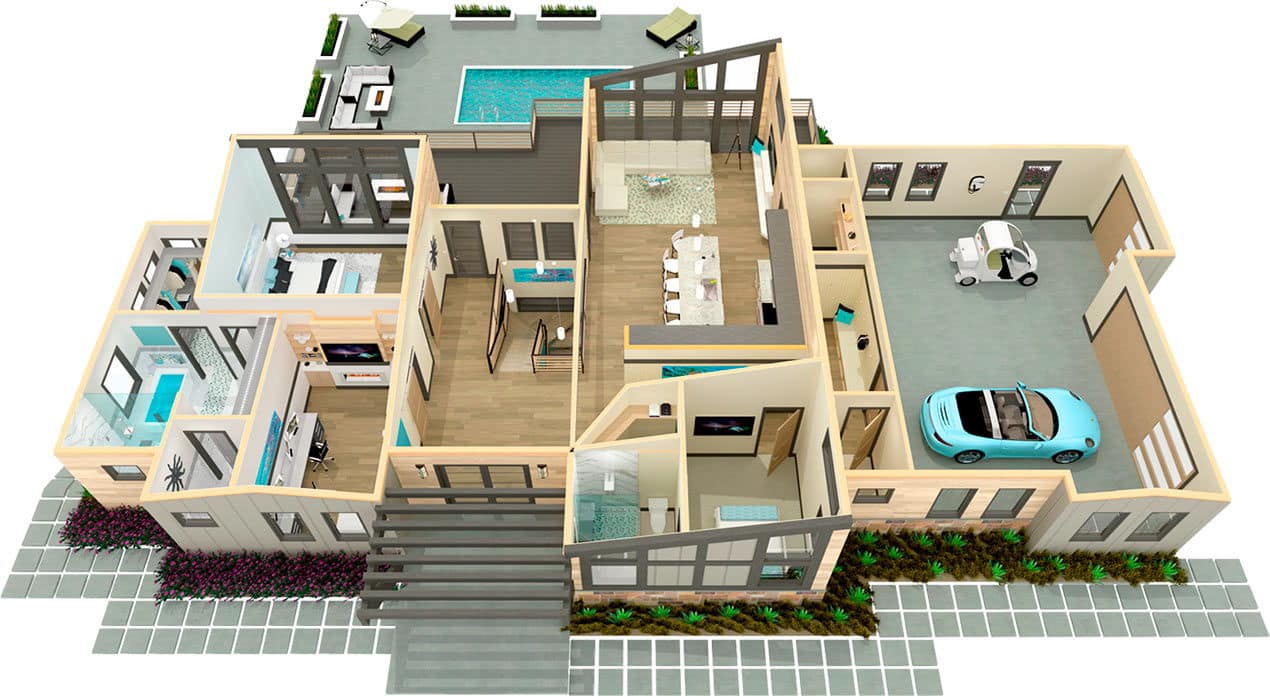
Chief Architect Interiors X14 – Interior Design Software Lifetime Activation
217 Item Sold
Lifetime Activation
For Windows
Comes with activation files
Buy Chief Architect Interiors X14 – Lifetime Activation for Windows
Are you an interior designer, architect, or remodeling professional tired of software that just can’t keep up with your creative vision? Do you spend more time fighting with complicated tools than actually designing? It’s time to elevate your design process with Chief Architect Interiors X14, the premier 3D architectural software for residential and light commercial design.
We offer a genuine, lifetime activation of the full version of Chief Architect Interiors X14. This isn’t a subscription. It’s a one-time payment for a permanent license, giving you unrestricted access to all the powerful features you need to bring your ideas to life. Forget about monthly fees and endless payments. Buy Chief Architect Interiors X14 from our trusted store and own your software outright.
With our instant digital download, you can start designing minutes after your secure online payment. Our global license works anywhere in the world, and we offer a money-back guarantee for your complete peace of mind.
Why Choose Chief Architect Interiors X14?
Chief Architect Interiors X14 is specifically crafted for professionals who demand precision, efficiency, and stunning visual results. It’s more than just a drawing tool; it’s a comprehensive design suite that automates the most tedious parts of your job, allowing you to focus on what you do best: creating beautiful and functional spaces.
From initial space planning and kitchen and bath design to producing photo-realistic 3D renderings and construction documents, Chief Architect has you covered.
Key Benefits of Your Purchase:
- One-Time Payment, Lifetime Access: Secure your permanent license for Chief Architect Interiors X14 with a single purchase. No subscriptions, no recurring costs.
- Instant Digital Download: Get immediate access to your software. No waiting for shipping—start your projects today!
- Full Version, No Limitations: Unlock every feature and tool that Chief Architect Interiors X14 has to offer. This is the complete, unrestricted full version.
- Guaranteed Authentic License: We provide only original, genuine, and legitimate software keys. Your activation is 100% authentic.
- Free Installation Support: Worried about setup? We offer free assistance to install and activate your software. Our team can even connect remotely to get you up and running smoothly.
- Money-Back Guarantee: We stand by our products. If you’re not satisfied, our money-back guarantee ensures a risk-free purchase.
- For Windows 10 and 11: This version is fully compatible with modern Windows operating systems, ensuring stable and reliable performance.
Explore the Powerful Features of Chief Architect Interiors X14
Chief Architect Interiors X14 is packed with intelligent tools that simplify the design process and deliver professional-grade results. Here’s a deep dive into what makes this software an industry leader.
Smart Building & Design Tools
The foundation of Chief Architect’s power lies in its smart object technology. When you place an object like a wall, window, or cabinet, it’s not just a collection of lines. It’s an intelligent object with properties and behaviors.
- Automatic Wall Generation: Draw walls, and the software automatically creates a 3D model. Walls connect, rooms are defined, and dimensions are generated on the fly.
- Intelligent Objects: Doors, windows, and cabinets snap into place within walls. If you move a wall, all connected elements move with it, maintaining their relationships. This automation saves countless hours of manual redrawing.
- Foundations and Framing: The software can automatically generate foundations, including slabs, basements, and crawl spaces. It can also create fully editable framing for floors, walls, and roofs, which is invaluable for construction planning.
- Stairs & Ramps: Create complex, curved, or split-level staircases with ease. The tool automatically ensures they comply with building standards for tread depth and riser height, which you can customize as needed.
Kitchen & Bath Design Mastered
Kitchens and baths are the most detailed and valuable spaces in a home. Chief Architect Interiors X14 provides specialized tools to design these rooms with precision and creativity.
- Custom Cabinet Designer: Design completely custom cabinets from scratch or modify thousands of options from the built-in library. Adjust door styles, hardware, materials, and finishes. Create islands, hutches, and vanities with ease.
- Smart Cabinet Placement: Cabinets intelligently snap together and align with walls. When you place a cabinet, it automatically has a countertop, toekick, and hardware.
- Appliance and Fixture Library: Choose from an extensive library of brand-name and generic appliances, sinks, faucets, and fixtures. These 3D models can be dropped directly into your design, complete with accurate dimensions.
- Backsplashes and Tile: Use the material painter to apply tile, create custom backsplashes, or design intricate floor patterns. The software helps you visualize material usage and patterns accurately.
Interior Furnishings & Materials
A design isn’t complete without furniture, lighting, and materials. Chief Architect Interiors X14 includes a massive library of objects to fully furnish and detail your projects.
- Extensive 3D Library: Access thousands of objects, including furniture, lighting fixtures, accessories, and plants. The library is regularly updated with new content, and you can import 3D models from other sources (like SketchUp, 3DS, or OBJ) to expand your collection infinitely.
- Material Painter & Eyedropper: Quickly apply materials to any surface. The Material Eyedropper lets you pick up a material from one object and apply it to another, making it simple to maintain a consistent color and material palette.
- Color Chooser Tools: Integrate with manufacturer color palettes (like Sherwin-Williams or Benjamin Moore) or create your own custom colors to ensure your digital design matches your real-world vision.
Stunning 3D Visualization & Rendering
Help your clients truly understand your vision with powerful 3D visualization tools. Move from 2D floor plans to immersive 3D experiences with a single click.
- Multiple Rendering Styles: Generate views in various styles, from technical wireframes and watercolor paintings to photo-realistic renderings.
- Physically Based Rendering (PBR): This advanced rendering engine simulates how light interacts with materials in the real world. It creates incredibly realistic images by accurately modeling reflections, lighting, and shadows, bringing your designs to life.
- 360° Panoramic Renderings: Create interactive panoramic views that you can share with clients. They can explore the room from a fixed viewpoint on their computer or mobile device, offering a truly immersive experience.
- Walkthroughs: Record video walkthroughs of your designs. Guide your clients on a virtual tour through the space you’ve created, highlighting key features along the way.
- Real-Time Ray Tracing: For those with compatible hardware, real-time ray tracing provides instant, high-quality feedback on lighting and materials as you design.
Construction Documents & Plans
Chief Architect Interiors X14 isn’t just for pretty pictures. It’s a powerful tool for creating detailed, professional construction documents that builders can use.
- Automatic Dimensioning: The software can automatically generate interior and exterior dimensions according to industry standards. You can also add manual dimensions and annotations with a suite of CAD tools.
- Cross-Sections and Elevations: Instantly generate unlimited cross-sections and elevations of your design. These views are linked to the 3D model, so any changes you make are automatically updated everywhere.
- Layout Sheets: Arrange your floor plans, elevations, 3D views, and material schedules onto professional layout sheets. Add your company logo, project details, and notes to create a complete construction drawing set ready for printing or exporting to PDF.
- Schedules and Material Lists: The software automatically generates schedules for windows, doors, cabinets, and more. It can also create a comprehensive material list, helping you estimate project costs with greater accuracy.
Advanced CAD Tools
For ultimate control, a full suite of 2D CAD tools is at your fingertips.
- Draw and Edit Lines: Create detailed drawings with lines, arcs, splines, and shapes.
- Import and Export: Import DWG, DXF, and PDF files to trace over or incorporate existing plans. Export your plans in these formats to collaborate with other professionals.
- Layers and Annotation: Organize your drawing with layers and add text, callouts, and markers to communicate important information clearly.
Easy Installation, Guaranteed Support
We know that getting started with new software can be intimidating. That’s why we’ve made the process as simple as possible.
- Purchase and Download: After you buy Chief Architect Interiors online from our store, you’ll receive an email with a link for an instant digital download.
- Easy Installation: The installation process is straightforward. Just follow the on-screen instructions.
- Activate Your Permanent License: Use the provided Chief Architect Interiors activation key to unlock the full version of the software for life.
- Need Help? We’ve Got You Covered: If you encounter any issues, our support team is ready to help. We offer free assistance to install and activate your software. We can even provide remote support to log in to your computer and handle the entire installation process for you. It’s part of our commitment to providing the best price and the best service.
Who is Chief Architect Interiors X14 For?
This software is the ideal solution for:
- Interior Designers: Create detailed floor plans, stunning 3D renderings, and material boards to sell your vision to clients.
- Kitchen & Bath Designers: Use specialized tools to design beautiful and functional kitchens and bathrooms down to the last detail.
- Architects & Architectural Designers: Develop residential and light commercial projects with speed and precision, from concept to construction documents.
- Remodelers: Show clients exactly how their home will look after a renovation, helping to manage expectations and close sales faster.
- Builders & Contractors: Create accurate plans and material lists to streamline the construction process and reduce costly errors.
Don’t settle for software that limits your creativity or slows you down. Purchase Chief Architect Interiors X14 today and invest in a tool that will grow with your business. With a one-time payment for a permanent license, it’s the smartest investment you can make in your professional toolkit.
Related products
-
Nuance Dragon Naturally speaking for documentation productivity
Original price was: $39.99.$33.99Current price is: $33.99. -
Wondershare PDFelement Lifetime Activation For MAC
Original price was: $89.99.$23.99Current price is: $23.99. -
Nuance PaperPort 14.6 Professional scanning, converting,editing documents
Original price was: $29.99.$19.99Current price is: $19.99. -
Magix SOUND FORGE PRO Suite 18 Lifetime License for Windows
Original price was: $34.99.$25.99Current price is: $25.99. -
Wilcom Embroidery Studio e4.2 For Windows – Lifetime Activation
Original price was: $79.99.$65.99Current price is: $65.99.





 Corel Painter Essentials 8 Painting software for beginners - For Windows