
Description
Adobe Substance 3D Painter: The Ultimate Texturing Tool for 3D Artists
Adobe Substance 3D Painter – the most powerful texturing solution for 3D models. Adobe Substance 3D Painter sets the industry standard for texturing 3D assets. Veteran artists and beginners alike can create photorealistic materials and textures with ease, thanks to its unmatched creative power, consistency and flexibility. A must-have tool for 3D artists in the gaming, animation, product visualization, and all other creative 3D verticals.
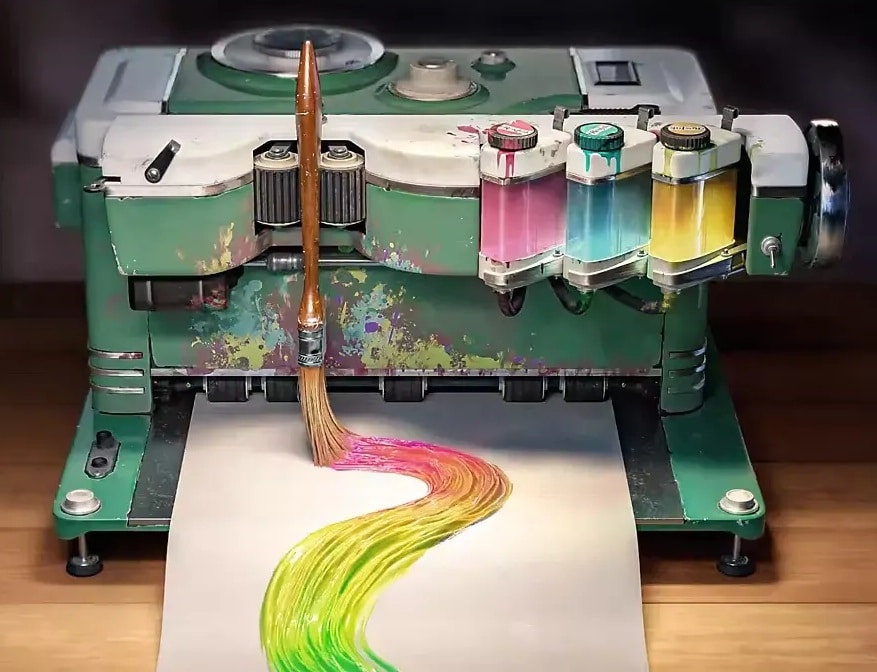
Features of Adobe Substance 3D Painter
Advanced real-time painting: paint directly on the 3D object as you would paint on a traditional canvas. View your 3D model in real time—every stroke instantly reflects on the screen. Full creative control: GPU acceleration allows for the most precise control over scene assets.
Smart Materials and Masks: Finally, add the finishing touches to your projects with Smart Materials that adapt themselves to the details of your models. Already loaded with realistic features such as wear, dirt, scratches and ageing, they allow you to add depth and realism in seconds. Add complex effects in a flash by applying pre-made masks to the surfaces of your models, saving a huge amount of production time. Smart Masks.
Parametric Brushes: Fine, detailed work with complete control. The parametric brushes in Substance Painter give you control over every aspect of the brush. Play with the properties of the brush, including hardness, flow, spacing and jitter to create highly customised brushes for your work. Support for particles means procedural paint effects, like dripping, rusting or weathering.
Procedural Texturing and Generators: Substance Painter is renowned for its powerful procedural texturing capabilities. The integrated generators allow you to apply realistic weathering, edge wear and surface abrasion, all using a simple non-destructive workflow. Quickly create stunning visuals that react to your model’s geometry using customisable procedural textures.
Integrated Layer System: The layer-based workflow gives you complete non-destructive control over your texturing process. Stack and blend layers; try different blending modes; apply complex effects; and make any change at any time without ever compromising your ultimate goal. Every single part of your project is done to perfection.
Baking and UV Management: Substance Painter comes with a ferricat of baking tools that take your high definition details and convert them into texture maps. Bake ambient occlusion, curvature, world space, normal maps and more with the click of a button. Substance Painter also integrates with a variety of UV unwrapping tools, so your textures wrap around your 3D model perfectly.
High-Resolution Textures: Generate and export textures for high-resolution images (up to 8K) that are compatible with Unity, Unreal Engine, Blender, Maya, Cinema 4D and most other industrial-grade software and engines. Generate highly detailed textures for use in real-time rendering or pre-rendered scenes.
Dynamic Material Painting: Painting with dynamic physical properties is now a matter of sheer ease. Apply roughness, metallic sheen or just height variations to get the material you’d like to your surfaces. Make the most out of our PBR (Physically-Based Rendering) workflow, and get your material-to-surface setup as close to reality as possible.
Iray-integration for incredible renders: Create fantastic renders in NVIDIA Iray directly inside Adobe Substance 3D Painter. Instantly see how your textures will look in different lighting environments and make adjustments accordingly so you get the output you envision.
Adobe Exclusive Asset Library: Access to a vast Substance 3D Assets library of thousands of professionally developed materials, filters, and brushes from Adobe will help you quickly find precisely what you need and streamline your development process.
Seamless Integration with Adobe Ecosystem: Seamlessly integrate with your workflow in Adobe Photoshop, Adobe Illustrator, Adobe Dimension and more using Adobe Substance 3D Painter. Create, edit and refine your 3D projects all in the Adobe ecosystem without switching between multiple tools.
User-Friendly Interface: Substance Painter’s clean, fully-customizable user interface is a dream: whether you’re a novice or industry veteran, the layout is logical and easy to use. Everything you need is within easy reach, and can be easily personalised to your workflow, making it faster to paint.
Lifetime Activation License – For Windows
Get Adobe Substance 3D Painter, Lifetime Activation License. Valid for Windows only. Regularly $199/year. Yours for $39.99. Never renew your subscription. Activate your license and use this full, unrestricted toolset, loaded with presets and features, to create the textures you’ve been dreaming of.
50-Day Money Back Guarantee
You have every reason to trust in Adobe Substance 3D Painter. So, if you don’t find your purchase satisfactory, we offer a 50-day refund. Experiment and play around. Try it and see. If you feel the software didn’t live up to your expectations, we’ll gladly refund your payment in full—no questions asked.
Why Choose Adobe Substance 3D Painter?
Adobe Substance 3D Painter is designed for ease of use, the industry’s best tools and the latest technology: the choice of film, gaming, product design and creative professionals. From students and hobbyists to experts, Substance 3D Painter gives you the technology you need to create high-quality, realistic 3D textures.
Extensive Use Cases and Applications
With its versatility across industries and applications, Substance 3D Painter is an indispensable tool for any professional. In this article, we’ll take a closer look at just a few of the use cases where it truly shines:
Game Development: Harnessing the power of Substance 3D Painter, game developers can create AAA-quality PBR texturing of characters, environments, weapons, props and much more. Substance 3D Painter’s toolkit and workflow can create PBR textures for any game engine. With plugins for Unity and Unreal Engine, this powerful tool gives artists the ability to build out complete game worlds.

Film and animation: Realistic characters, props and environments are key to immersing viewers in a film or animation. You can easily create photoreal textures with Substance Painter – from alien skin to ancient ruins – with as few as three clicks. The Iray renderer integration allows you to preview how your textures will look in different lighting conditions, ensuring they look impressive on screen. This is ideal for making materials for VFX and animation studios.
Product visualization: From consumer electronics to automotive parts prototypes or interior design concepts, Substance 3D Painter offers all the tools needed for product visualization. Create accurate and realistic materials and textures and showcase your product before it goes into mass production. This way, clients can visualize what the final look of a product will be (with materials such as metal, leather, glass and plastic) and make better decisions.
Architectural Visualization: Architects and interior designers can use Adobe Substance 3D Painter to generate realistic visualisations of building materials, interior surfaces and furniture. Through its extensive materials library, it will be easier to experiment with the textures, painting and finishing of building materials – which can be useful in developing visualisations for clients and creating persuasive presentation materials.
Fashion and Apparel: Substance 3D Painter is also being used in the fashion industry by designers to create and visualise fabrics, accessories and garments. Painting on 3D clothing models, artists can simulate fabric textures and effects, such as wear and tear, embroidery, and metallic sheens, aiding the creation of virtual fashion collections that can be presented to clients and stakeholders without any physical prototype.
Detailed Insights into Key Features
Close your eyes, open up the 3D space and with a brush in your hand start painting on the surface of your 3D model and canvas with great precision. Substance Painter’s proprietary brush engine lets you paint with full freedom and accuracy while the real time viewport will give you exact feedback on how your textures will look. With the ability to import your own custom brushes and external textures, combining different textures is endless. The pressure-sensitive tablets will enhance your painting experience.
Particle brushes are procedural effects that are automatically applied to your 3D object. They can simulate effects such as dust, rain or fire burn. For example, using a rain particle brush adds rain streaks to your surface as if it was exposed to water, while a dirt brush can add just the right amount of grime and roughness to a character or prop.
Custom Shader Development: Adobe Substance 3D Painter supports custom shader development, enabling complete control of every stage of the rendering process. Thanks to our support for the Shader API, you can create custom shaders to meet the exacting needs of your project or pipeline, suitable for studios with custom rendering requirements.
Dynamic Weathering and Aging Effects: One of the ground-breaking aspects to Substance Painter is how realistically surfaces can be weathered and aged. For instance, you can replicate natural wear and tear on surfaces such as a medieval sword, a tattered leather jacket or a rusty car. You can use the Smart Materials and Masks to apply scratches, rust, chipped paint, dirt buildup and more. This, in turn, adds a realistic level of storytelling to the model.
VFX and Animation Support: The Adobe Substance 3D Painter VFX Reference Platform compliance makes Substance 3D Painter an industry-leading tool for VFX artists. It supports OpenColorIO and other VFX-specific workflows to ensure that your textures are ready-to-use and can adapt to complex VFX pipelines. Substance 3D Painter is also compatible with major rendering pipelines, like Arnold, Mantra, Redshift, V-Ray and Katana.
Interoperability and File Format Support
Import and export textures in all relevant formats including PNG, JPEG, TIFF and EXR; we support interoperability with all your 3D tools and pipelines: FBX, OBJ, GLTF, USD 3D file formats.
Import and render 3D models in FBX and OBJ format: Great for prototyping or creating interactive 3D experiences, both formats are industry standards and supported by all major 3D applications.
Share your materials with others or use them across different Adobe applications by exporting your files in the Substance Archive format.
Streamline Your Workflow with Automation
Scripting: Adobe Substance 3D Painter can automate rote tasks for studios. For instance, you can use Python scripting support to create scripts that perform rote tasks, so you don’t need to do it every time, thereby speeding up the workflow and reducing human errors. This could be a great feature for a large studio where adherence to a predetermined workflow is critical.
Collaborate and Share with Substance 3D Sampler and Designer
Substance 3D Painter integrates directly with Substance 3D Sampler and Substance 3D Designer. Use Sampler to generate new materials from images of real-world objects, and import them into Painter to apply them to your models. Or, create entirely procedural materials in Designer, import them into Painter, and then adjust the parameters further to achieve a wide variety of effects. The entire process of 3D texturing streamlined and unified.
Substance 3D Sampler: From real-world material to PBR material for your 3D scene.
Substance 3D Designer: Create custom procedural materials and bring them into Painter to apply to your 3D assets.
High-Level Customization
It even allows you to build your own materials, shaders, brushes and other assets. Companies can adapt Substance 3D Painter to any workflow, in any industry. Whatever 3D content you’re creating – from fine-art sculpts, to architectural walkthroughs, to photorealistic movie characters – Substance Painter lets you work how you want. If your pipe-smoking workflow suddenly updates to match your new no-smoking office policy, Substance Painter will be there to meet it.
Learning Resources and Community
Adobe provides a wealth of training content for Substance 3D Painter, from beginner tutorials to advanced courses and tips for mastery. The Adobe tutorials and community for Substance 3D Painter help foster skills in every aspect of the software. The Substance 3D community itself is a bustling hub where artists share tips and encouragement, display their work and collaborate on art projects together. Users at any level can find support in Adobe’s official tutorials, user guides and forums.
Official Documentation and Tutorials: Adobe’s official Substance Painter tutorials do a great job of covering the basics, along with more complex techniques such as procedural generation. Step-by-step video tutorials, along with how-to articles, provide ample information for learners to grasp the full potential of the software.
Online Community and Forums: Connect with fellow artists, get feedback and resolve any artist-specific issues you might encounter when using Substance Painter. The community is also a great source for inspiration.
Stay Ahead with Continuous Updates
Substance 3D Painter will continue to be updated with new features, improvements, capabilities and performance enhancements. Each Premiere Edition product will consistently benefit from Adobe’s Substance suite, leveraging the latest innovations, such as new Smart Materials, brush tools and performance improvements. Curious about how this acquisition will impact Adobe’s 3D efforts? Read our statement here.
Industry Recognition and Trust
Adobe Substance 3D Painter is used by top studios in virtual production and gaming, animation and VFX. Today, several AAA game studios and film production companies use Substance 3D Painter around the globe. Anyone serious about 3D art should be familiar with Substance 3D Painter.
Lifetime Activation License – For Windows
The Lifetime Activation License for Windows for Adobe Substance 3D Painter is a remarkable deal that gives you permanent activation that you’ll never have to renew or pay for again as you would with any subscription-based service. Whether you are a freelance artist, small studio, or hobbyist and need a pro-grade tool with a one-time payment, this is it.
Get Started with Adobe Substance 3D Painter Today
An all-in-one solution for crafting beautiful, high-fidelity textures for any 3D project, Adobe Substance 3D Painter provides easy-to-use painting tools, a vast library of Smart Materials, photorealistic render previews, and real-time visualisation. Integration with the Adobe creative ecosystem completes the package.
Whether independent artist or large studio, Adobe Substance 3D Painter will give you access to all the tools you need to bring to life high-end textures, and make the most of a crowded market. Give your 3D masterpieces the freedom and flexibility of a lifetime licence.
Unleash Your Creativity Now
And create fabulous 3D textures quickly and efficiently. Exclusive Lifetime Activation License Adobe Substance 3D Painter 1 Year Subscription. Enjoy full access to Features, Integration, and the freedom to Create without Limits, backed by a 50-days money-back guarantee.
Breathtaking, life-like 3D models – up for grabs in an instant: work wonders with Adobe Substance 3D Painter, now available with a lifetime activation license and you could be creating with no limits.