Description
Movavi Video Converter – Convert Media Files Into Any Format
Finding the right video converter can feel like searching for a needle in a haystack. You need software that’s powerful enough to handle all your media files, yet simple enough that you don’t need a computer science degree to use it. Movavi Video Converter delivers exactly that balance, offering professional-grade conversion capabilities wrapped in an intuitive interface that anyone can master.
What Makes Movavi Video Converter Special?
Movavi Video Converter stands out as the best video converter software available today. This comprehensive solution handles over 180 media formats, ensuring your files work seamlessly across all devices and platforms. Whether you’re dealing with outdated formats or cutting-edge codecs, this software has you covered.
The beauty of Movavi lies in its versatility. You can convert videos for specific purposes like creating Movavi Video Converter for YouTube content, processing Movavi Video Converter for 4K footage, or optimizing files as Movavi Video Converter for MP4 format. Each conversion maintains exceptional quality while optimizing file sizes for your intended use.
Comprehensive Format Support
When you buy Movavi Video Converter, you’re investing in true format freedom. The software supports an extensive range of video formats including MP4, AVI, MOV, MKV, WMV, FLV, and many more. Audio formats like MP3, WAV, FLAC, AAC, and OGG are also fully supported. This means you’ll never encounter a file you can’t work with.
The software excels at handling modern formats too. 4K video conversion maintains crisp detail and vibrant colors, while HDR content preserves its enhanced dynamic range. Even specialty formats used by professional cameras and recording equipment work flawlessly with Movavi.
Lightning-Fast Conversion Speeds
Time is valuable, and Movavi respects that. The software utilizes advanced algorithms and hardware acceleration to deliver conversion speeds up to 79 times faster than standard converters. Your full version software includes SuperSpeed mode, which processes files without quality loss while dramatically reducing waiting times.
For batch processing, you can queue multiple files and let the software work while you focus on other tasks. The intelligent processing engine automatically optimizes settings for each file type, ensuring consistent results across your entire media library.
User-Friendly Interface Design
Complexity shouldn’t be a barrier to great results. Movavi Video Converter activation gives you access to a clean, intuitive interface that guides you through every step. The main window clearly displays your source files, conversion options, and output settings without overwhelming clutter.
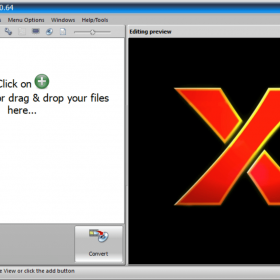
Drag-and-drop functionality makes adding files effortless. Simply drag your media files into the program window, select your desired output format, and click convert. The software handles all technical details automatically, though advanced users can access detailed settings when needed.
Device-Specific Presets
Gone are the days of guessing which settings work best for your devices. Movavi includes hundreds of optimized presets for popular devices including iPhones, Android phones, tablets, gaming consoles, and smart TVs. These presets automatically configure resolution, bitrate, and codec settings for optimal compatibility and quality.
The preset library covers everything from the latest iPhone models to legacy devices, ensuring your converted files play perfectly regardless of your target platform. Custom presets can be created and saved for frequently used specifications.
Advanced Editing Capabilities
Video conversion doesn’t have to be a simple format change. Movavi includes built-in editing tools that let you enhance your content during the conversion process. Trim unwanted sections, merge multiple clips, add subtitles, and adjust audio levels without needing separate editing software.
Color correction tools help you fix exposure issues and enhance visual appeal. The stabilization feature reduces camera shake in handheld footage. These editing capabilities save time by combining multiple workflow steps into a single, streamlined process.
Audio Enhancement Features
Sound quality matters just as much as video quality. Movavi’s audio processing tools normalize volume levels, reduce background noise, and enhance vocal clarity. The built-in equalizer provides precise frequency control, while the noise reduction algorithm eliminates common audio problems like hiss and hum.
For content creators, the software includes audio sync correction that fixes timing issues between video and audio tracks. This feature proves invaluable when working with footage from multiple sources or dealing with imported files that have sync problems.
Subtitle Management
Working with international content or creating accessible videos becomes simple with Movavi’s subtitle support. The software can extract existing subtitles from source files, add new subtitle tracks, or burn subtitles directly into the video stream. Support for popular subtitle formats like SRT, ASS, and SSA ensures compatibility with your existing subtitle files.
The subtitle editor allows you to adjust timing, formatting, and positioning. You can also create new subtitles from scratch using the built-in text editor, making it easy to add captions or translations to your content.
Purchasing and Licensing Information
When you choose to buy online from a trusted store, you’re making a smart investment in quality software. Our secure online payment system protects your financial information while ensuring immediate access to your purchase.
The lifetime activation license means you own the software permanently with no recurring fees. This permanent license includes free technical support and software updates, ensuring your investment remains valuable for years to come. The digital download provides instant delivery, so you can start converting files within minutes of purchase.
Your purchase includes an authentic license with a moneyback guarantee, demonstrating our confidence in the software’s quality. This genuine and legitimate license ensures you receive all features and support services without restrictions.
System Compatibility and Installation
Movavi Video Converter works seamlessly with Windows 10 and 11, taking advantage of the latest operating system features for enhanced performance and stability. The software requires minimal system resources, running efficiently even on older hardware configurations.
Easy installation and activation means you’ll be converting files quickly after download. The installation process takes just a few minutes, and the activation system works reliably without complicated procedures or internet dependencies.
Our team provides free assistance to install and activate your software if needed. Technical support specialists are available to help with any installation questions or activation issues, ensuring a smooth setup experience.
Professional Results at the Best Price
Quality software doesn’t have to break your budget. We offer Movavi Video Converter at the best price available, providing exceptional value for professional-grade conversion capabilities. The onetime payment structure means no hidden fees or subscription costs.
This investment pays for itself quickly when you consider the time saved and quality improvements achieved. Professional video conversion services charge significant fees for tasks you can now handle independently with your own software.
Global Accessibility and Support
Your global license works anywhere in the world without regional restrictions. Whether you’re traveling internationally or relocating to a new country, your software license remains fully functional and supported.
Technical support is available globally, with multilingual assistance ensuring clear communication regardless of your location or native language. The comprehensive user manual and video tutorials provide additional learning resources in multiple languages.
Why Choose Movavi Video Converter?
The combination of powerful features, user-friendly design, and competitive pricing makes Movavi Video Converter the obvious choice for anyone needing reliable format conversion. Professional filmmakers, content creators, business users, and home users all benefit from the software’s versatility and performance.
The extensive format support eliminates compatibility headaches, while the fast conversion speeds respect your valuable time. Advanced features provide professional capabilities when needed, yet the intuitive interface keeps everyday tasks simple and straightforward.
Your original genuine and legitimate software license ensures access to all features, regular updates, and comprehensive support services. This authentic software provides reliable performance and security that pirated or counterfeit versions cannot match.
Getting Started Today
Ready to solve your video conversion challenges? Purchase your copy of Movavi Video Converter today and experience the difference quality software makes. The combination of lifetime licensing, instant delivery, and comprehensive support makes this an investment you’ll appreciate for years to come.
Start converting your media files with confidence, knowing you have the tools and support needed for professional results. Join thousands of satisfied users who have discovered why Movavi Video Converter is recognized as the best solution for media format conversion.
Your media files deserve better than substandard conversion tools. Choose Movavi Video Converter and unlock the full potential of your digital content library.